Understanding Cryptocurrency Mining Rigs: A Complete Mining Rig Installation Guide
- James Heffernan
- Feb 23
- 4 min read

If you’ve ever wondered how Bitcoin and other cryptocurrencies come to life, you’re in the right place. Mining isn’t just a buzzword; it’s the backbone of the crypto world. But what exactly is a mining rig? How do you set one up? And why should you care? Let’s dive into the fascinating world of cryptocurrency mining rigs and break it down in a way that’s easy to grasp—even if you’re just starting out.
What Is a Cryptocurrency Mining Rig?
Imagine a super-powered computer designed specifically to solve complex puzzles. That’s essentially what a mining rig is. These rigs work tirelessly to verify transactions on a blockchain network, like Bitcoin’s, and in return, miners earn rewards. Think of it as a digital gold rush, where your rig is the pickaxe.
Mining rigs come in different shapes and sizes, but they all share one goal: to perform calculations as fast as possible. The faster your rig, the better your chances of earning cryptocurrency. But speed isn’t everything; efficiency matters too. A rig that guzzles electricity might not be profitable, even if it’s fast.
Types of Mining Rigs
CPU Mining Rigs: The most basic type, using your computer’s processor. Not very powerful but a good starting point.
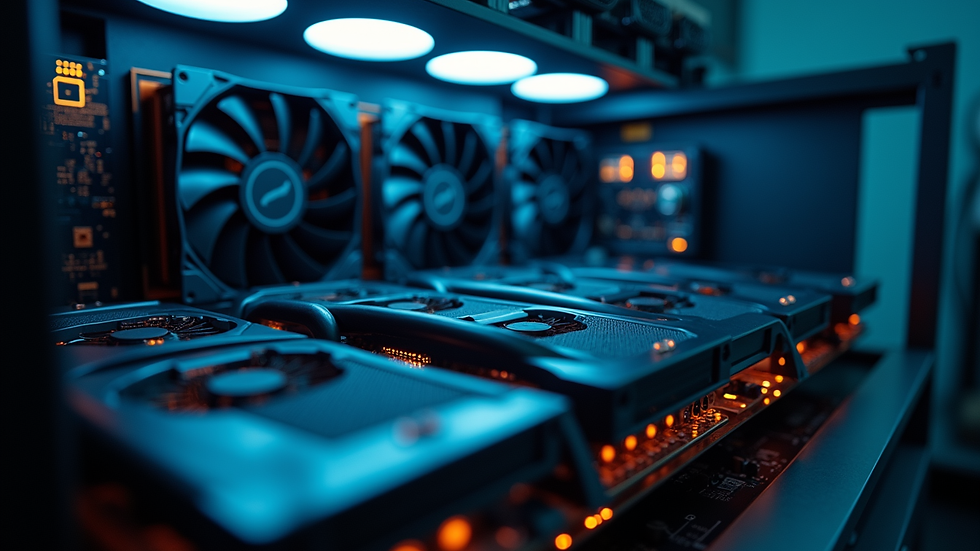
GPU Mining Rigs: These use graphics cards, which are much better at handling the math needed for mining.
ASIC Mining Rigs: Specialized machines built only for mining. They’re fast and efficient but can be pricey.
Each type has its pros and cons, and your choice depends on your budget, goals, and technical know-how.

Mining Rig Installation Guide: Step-by-Step Setup
Ready to get your hands dirty? Setting up a mining rig might sound intimidating, but I’ll walk you through it like a pro. Here’s a simple guide to get your rig up and running.
1. Choose Your Hardware
Start with the basics: pick your mining rig components. For beginners, a GPU rig is often the sweet spot. You’ll need:
Motherboard with enough PCIe slots
Powerful graphics cards (GPUs)
CPU and RAM (basic specs usually suffice)
Power supply unit (PSU) with enough wattage
Mining frame or case for mounting components
Cooling system (fans or liquid cooling)
2. Assemble Your Rig
Think of this as building a LEGO set but with real electronics. Carefully install the CPU, RAM, and GPUs onto the motherboard. Connect the PSU to all components. Make sure everything is secure and well-ventilated.
3. Install Mining Software
Once your rig is physically ready, it’s time to bring it to life with software. Popular mining programs include:
NiceHash: Great for beginners, it automatically picks the most profitable coins.
CGMiner: A classic choice for more control.
Claymore: Known for Ethereum mining.
Download and install the software, then configure it with your wallet address and mining pool details.
4. Join a Mining Pool
Mining solo is like fishing with a single line in a vast ocean. Joining a mining pool means teaming up with others to increase your chances of earning rewards. Pools distribute payouts based on your contribution.
5. Monitor and Optimize
Keep an eye on your rig’s performance and temperature. Use tools like MSI Afterburner to tweak GPU settings for better efficiency. Remember, cooler rigs last longer and perform better.
Why Should You Care About Mining Rigs?
You might be asking, “Why go through all this trouble?” Well, mining rigs are your ticket to earning cryptocurrency without buying it outright. It’s like growing your own money tree, but with technology.
Mining also supports the entire cryptocurrency ecosystem. Without miners, transactions wouldn’t be verified, and the network would collapse. So, by running a mining rig, you’re not just making money—you’re helping build a decentralized future.
Plus, with the right setup, mining can be a steady source of passive income. Imagine waking up to find your rig has earned you some Bitcoin overnight. Sounds good, right?
Common Challenges and How to Overcome Them
Mining isn’t all sunshine and rainbows. There are hurdles, but don’t worry—I’ve got your back.
High Electricity Costs
Mining rigs consume a lot of power. To keep costs down:
Use energy-efficient GPUs or ASICs.
Run your rig during off-peak hours if your electricity provider offers cheaper rates.
Consider renewable energy sources if possible.
Heat Management
Rigs generate heat, and overheating can damage components. Solutions include:
Installing extra fans or liquid cooling.
Placing your rig in a cool, ventilated area.
Regularly cleaning dust from components.
Hardware Failures
Mining rigs run 24/7, which can wear out parts. Prevent issues by:
Using quality components.
Monitoring hardware health with software tools.
Having spare parts ready for quick replacements.
How to Maximize Your Mining Profits
Mining is a game of strategy. Here’s how to get the most bang for your buck:
Stay Updated: Cryptocurrency markets and mining difficulty change. Keep an eye on trends.
Optimize Settings: Adjust GPU clock speeds and power limits for efficiency.
Choose the Right Coins: Sometimes mining altcoins is more profitable than Bitcoin.
Reinvest Earnings: Upgrade your rig over time to stay competitive.
By following these tips, you can turn your mining rig into a money-making machine.
Your Next Steps in the Mining Journey
Now that you understand the basics and have a clear installation guide, it’s time to take action. Whether you’re building your first rig or upgrading an existing one, remember that patience and learning are key.
Mining is not just about hardware; it’s about being part of a revolutionary movement. So, gear up, stay curious, and enjoy the ride. If you want to explore more about cryptocurrency mining rigs, check out trusted resources and communities online.
Happy mining!


Comments